
Resend "Welcome Email"
When a new Zeta Login user is onboarded, the platform sends them a “Welcome Email” with a link to begin the setup process. This link expires in seven days. If the user doesn’t complete the onboarding process within seven days of receiving the “Welcome Email,” an Organization Administrator can resend the “Welcome Email” with a new link.
Note: This feature is available for Organization Administrators.
To resend the “Welcome Email” to a user:
-
Log into the Zeta Login User Workspace.
-
Click your profile icon in the top-right corner of the screen. The Profile Info pop-up window is displayed.
-
Within the Profile Info pop-up window, click Zeta Login Administration. This will take you to the Zeta Login Administration environment, with the Users tab selected by default.
-
Search for the desired user (see View All Users for more information on the search options).
Note: For this scenario, it can be useful to filter the list to show only users with a status of either Pending Setup or Invite Sent.
-
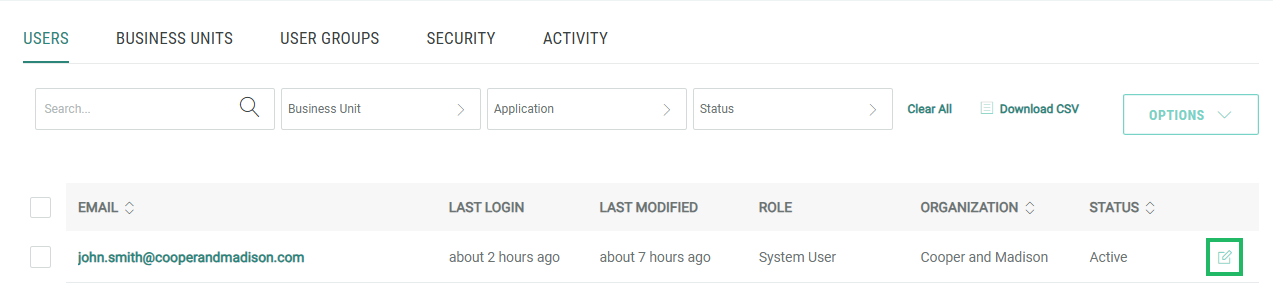
Next to the desired user, click the Edit icon. The User Workspace for that user is displayed, with the Profile tab selected by default.
-
Select Options > Resend Welcome Email.
